Saving Creators on Instagram
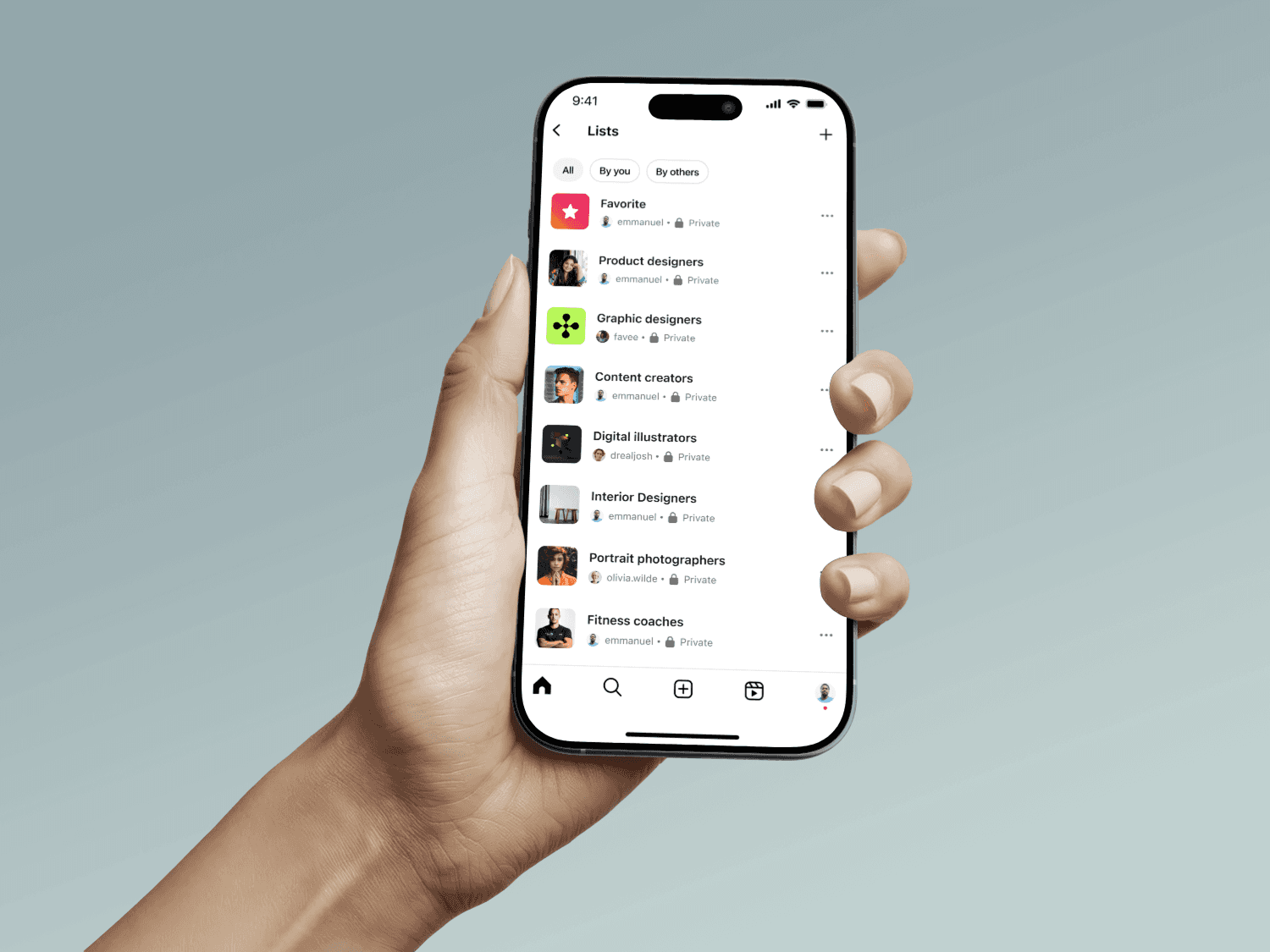
A simple way for users to organize, revisit, and share the creators that inspire them.
ROLE/TEAM
Solo designer
TIMELINE
1 week
Year
2025
Introduction
Instagram is one of the biggest platforms for discovering creative people. Designers, artists, photographers, filmmakers, and countless others share their work there every day, making it incredibly easy to stumble upon creators who inspire you. But while discovery on Instagram feels effortless, keeping track of creators in a simple, organized way is not as smooth. That gap is what inspired this project.
Why this problem matters
Over the years, Instagram helped me find many creators I genuinely admired, but returning to them when I needed inspiration became surprisingly difficult. As someone who follows creatives across different fields, their posts often got buried under new content. Sometimes I’d forget their handles entirely or spend too much time scrolling through my Following list hoping to spot them again.
This challenge became even more obvious when I started my design journey. I kept running into lists of designers to follow, and adding each account by hand was a bit tedious. Imagine a friend sending you a carefully curated list, and being able to add them all in one click, like you can with a Spotify playlist. That’s exactly the kind of feature I wished existed.
I tried saving posts to organize creators, but my saved collections turned into chaos memes, tutorials, random screenshots, and the creators I actually wanted to come back to all mixed together.
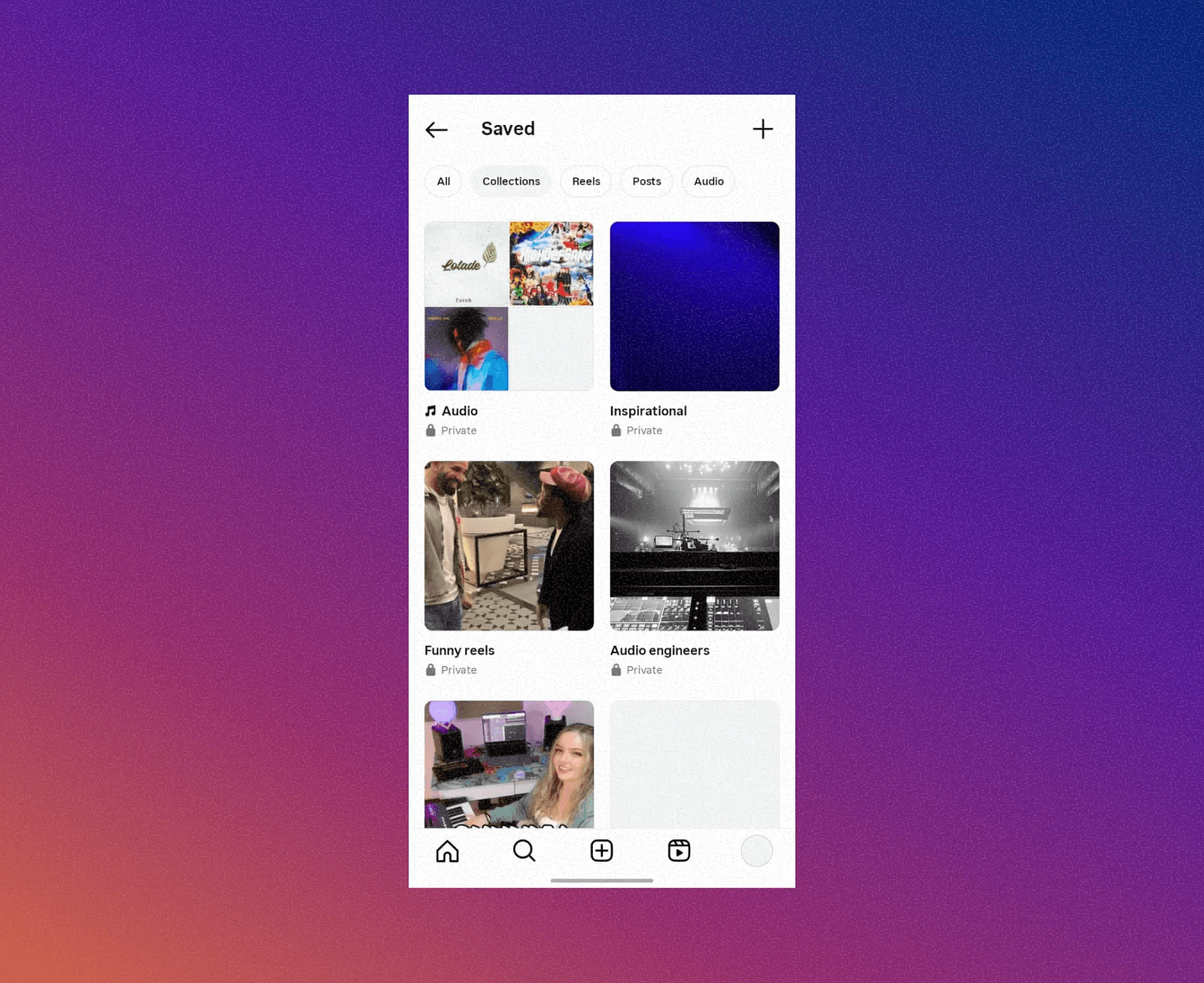
Instagram’s “Saved” feature
What was missing was a simple, intentional way to organize creators into lists I could easily return to.
Interesting findings from the research
To understand whether this was a broader issue, I conducted a short survey with nine participants to learn how others manage the creators they follow.
Key insights
Many users forget creator handles over time.
Saved Posts quickly becomes cluttered and difficult to navigate.
Some users rely on external tools like Notes or screenshots.
People want an easier way to revisit creators they find inspiring.
About half said they would use a feature that lets them organize creators into lists.
These insights showed that this wasn’t just a personal pain point. Others were also patching the problem with their own workarounds.
Competitive analysis
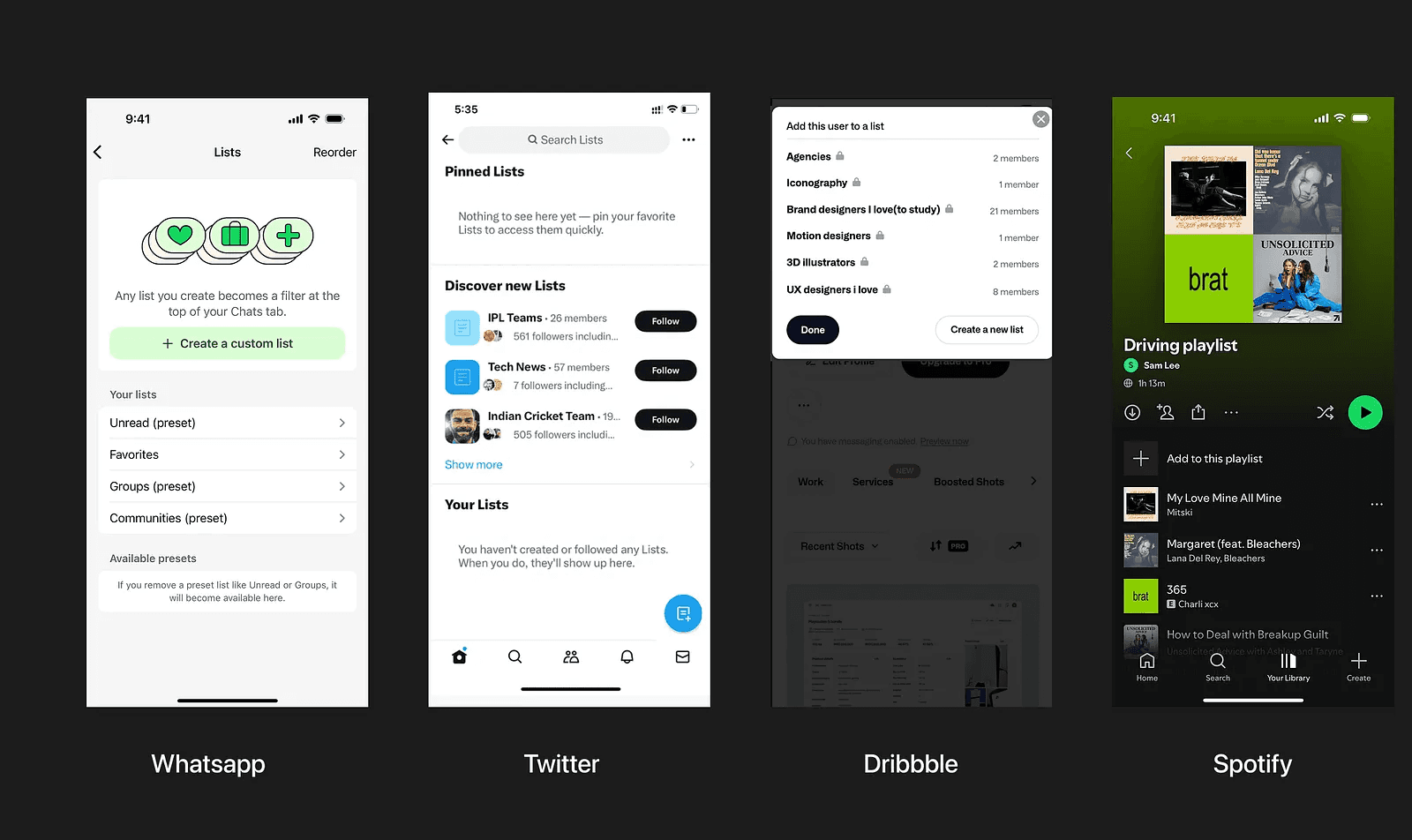
To better understand how other products support organization, I looked briefly at similar systems across Twitter, Dribbble, Spotify, Pinterest, and WhatsApp to identify familiar patterns around saving, sharing, and revisiting things over time, which shaped my direction.
Instagram’s “Saved” feature
Design goals
The feature needed to be:
Quick and intuitive.
Easy to share with others.
Lightweight and consistent with Instagram’s experience.
Designing the solution
One major decision was determining where this feature should live. I explored placing Lists under Instagram’s existing Saved section, but that space already houses posts, reels, audio, and collections. Adding Lists there would overload it.
After several sketches, iterations, and quick usability checks, it became clear that the feature had enough depth to stand on its own. Creating a dedicated space made it more discoverable, more structured, and better suited for future expansion.
Add to List
Users can add creators to a list from the post menu by using the meatball icon. This creates an easy access while scrolling through posts.
Adding to list from post
They can as well add a creator to a list directly from the creator’s profile. They can select an existing list, create a new one.
Lists Page
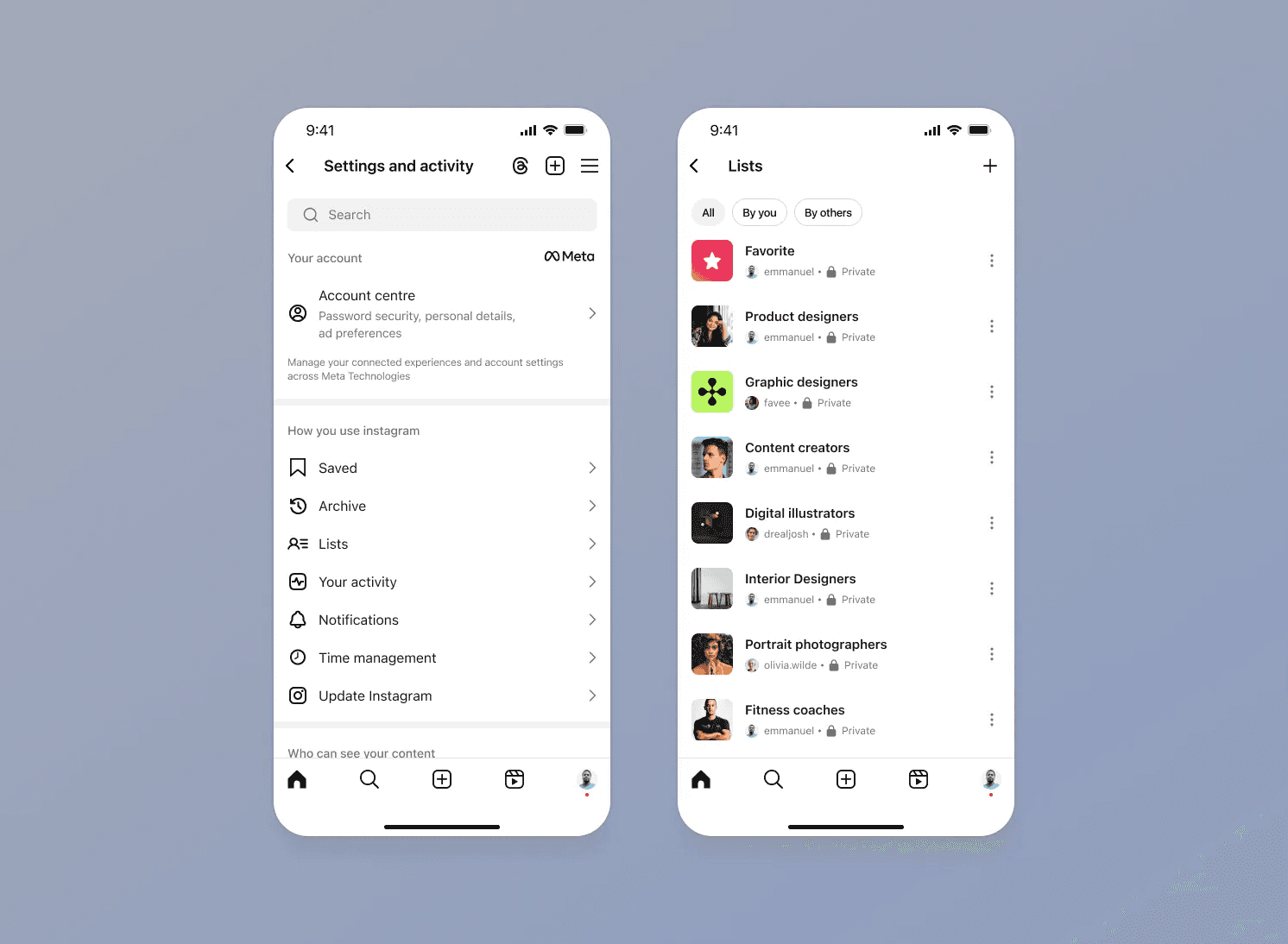
The Lists page is where users see all the creator groups they’ve organized.
Each list shows:
the list name
the profile of the creator who made it
privacy status
a quick menu for managing or editing the list
The filters at the top help users switch between their own lists and lists shared with them. The goal was to make the page feel familiar to existing Instagram patterns while still introducing a sense of structure and ownership around curated groups.
Inside a list
Users can search within the list, perform quick actions like sharing or editing, and add more accounts.
I also kept the “Follow” button for each member on the list visible because I’m more likely to want to follow people I add to a list. With this, I can easily follow all the members of the list in just one click.
I also added a card view for people who prefer a more visual way to browse. Each card shows a small preview pulled from the creator’s recent post, which makes it easier to recognize accounts at a glance.
Add members to a list
Inside each list, users can add more creators. The feature suggests accounts based on the people already in the list, and users can also search manually. This flow keeps list building relevant, fast, and lightweight.
Share List
Users can share curated lists through Instagram DM or via a link. This makes it easy for friends and communities to exchange recommendations and inspiration.
Saving Shared Lists
When someone opens a shared list, they can save it directly and keep it under the original curator’s name.
Turning a shared list to your own
They can also turn it into a new list or add all the accounts to one of their existing lists. The interaction mirrors how Spotify handles playlist saving, which makes it easy to understand.
Learnings
Working on this project reinforced a few things:
Personal intuition is helpful, but user feedback is essential.
When users invent their own workarounds, the platform may be missing a native solution.
Introducing a new feature into a mature product requires careful thinking around placement and interaction depth.
Conclusion
At one point, I considered expanding the feature to include a filtered timeline for each list. Opening a list would show posts only from the creators inside it, creating a more focused browsing experience. I decided not to explore it further because I wasn’t sure it aligned with how Instagram keeps users engaged. The platform thrives on variety rather than narrowing the experience to one specific group at a time.
This project started from a simple personal frustration and evolved into a thoughtful exploration backed by user insights and patterns from other platforms. Even though it is conceptual, the process helped me understand how people manage inspiration over time and how a well-integrated feature could improve the way users revisit and organize the creators they care about.